This is Part 1 of the series. A developer with 25 years of experience took a brief career break and built an iOS game as a side project — testing one question firsthand: “Can AI really code? Can it go all the way to commercialization?” Part 1 covers the story from starting to build the game to receiving the first App Store rejection.
https://www.hol4b.com
Instead of Meetings, I Opened Claude
After finishing my tenure as CTO / Managing Director at an EdTech company, I found myself with a short gap. While figuring out what to do next, what I reached for wasn’t a résumé — it was Claude.
It had been 25 years. No executive meetings, no org charts, no quarterly KPIs. I barely remembered what it felt like to write code in that kind of space. So I just opened it.
I Barely Used Any Other Tools
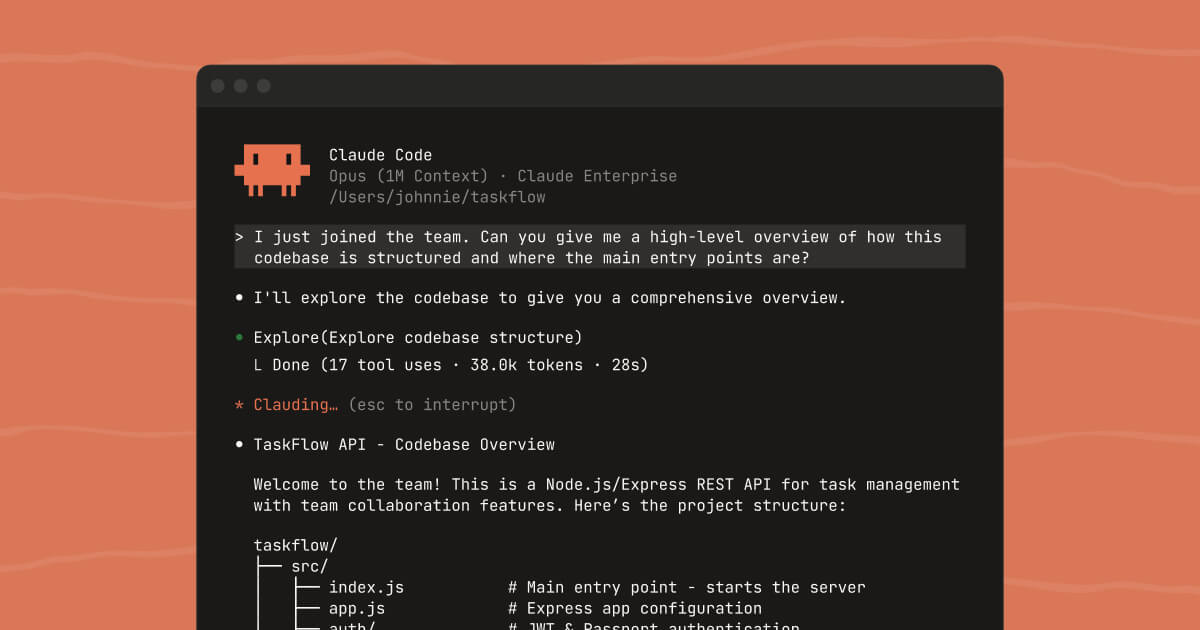
The first few days were warm-up. Getting a feel for how far AI coding had come — how to write prompts, how to manage context, what a harness even is. I installed and tried everything: GSD, gstack, PaperClip, OpenClaw. Kept only what fit my hands.
Right before this, I had been designing and running AX-related agents at work, but using AI as an individual developer is a completely different scope and perspective.
What survived was two things. gstack for strategy and planning, Claude (both Chat and Code) for everything else. React Native, Expo, AdMob — I didn’t pick these by comparing options. AI suggested them and I said OK.
The most awkward moment for a 25-year developer was right here — the realization that even tool selection could be delegated.
I’ve since set up local CI/CD on my MacBook, but early on, if Claude said it needed something, I just gave it. That’s how I ended up paying $19 for the EAS starter kit.
One aside. While using gstack, a YCombinator recruiting message pops up at some point. Offering a great tool for free while eyeing its users as hiring candidates — I found that impressive. In the AI era, talent discovery runs on usage traces, not résumés. I jotted down a short note. I sent a reply thanking them for the offer, though I doubt it’ll lead anywhere.
Five Hours — and Trains Out
The initial idea was mine alone. “What should I build?”
I was scouting casual games on the US App Store when I spotted a small game called Arrows Out. Small might be an understatement — it had over ten million downloads, and there were tons of clones with slightly different names. A natural chain reaction started in my head. Arrows to Snakes? Trains? Then I remembered the three years I lived in Japan.
“Let’s go with Trains for now, and later swap in pretty Japanese-style train graphics.”
That’s how the name Trains Out was decided.
From there to the first build — five hours. More precisely, strategy, planning, and development threaded into a single breath over five hours. The number sounds impressive, but AI didn’t do it on autopilot. AI kept asking questions, and I had to keep making decisions. I had to keep feeding it opinions drawn from 25 years of experience and knowledge. AI made a lot of mistakes too. Wrong libraries, wrong APIs, code going in circles. The five hours were filled with the number of times a senior had to say “that’s wrong right there.”
Still, the build ran. Looking at the first screen installed on the simulator, I had a strange thought.
This is really possible in five hours. Even a 25-year veteran needed time to process that.
The Blueprints Behind Those Five Hours — Full Documents
There are documents that made the five hours possible. The project directive given to AI (CLAUDE.md), the original design spec (SPEC.md), and a record of 53 decisions made collaboratively with AI (DECISIONS.md). Published here unedited.
CLAUDE.md — The project directive given to AI (click to expand)
# TrainsOut — Train Escape

## Status
**v1.2.0** — Live on Korean Apple App Store, in operation.
Production stability is the top priority. **Any change that may affect the release build must be confirmed with the user.**

| Item | Detail |
|---|---|
| App Name | Train Escape - Puzzle Game |
| Package | `com.hol4b.trainescapepuzzle` |
| Target | iOS only (Korean App Store). `android/` folder is stale, ignore |
| Category | Puzzle (4+) |
| Monetization | AdMob only (banner + interstitial + rewarded) |
| Build | **Local EAS build only** (`eas build --local`). No cloud build billing |

## Stack
- React Native + **Expo SDK 55** + TypeScript
- **Zustand** (`gameStore`, `devStore`)
- **Reanimated v4** (worklet-based animation)
- **expo-audio** (BGM + SFX)
- **Expo Router** (file-based routing)
- **react-native-google-mobile-ads 16.3.1** (service abstraction with mock fallback)
- AsyncStorage (level progress saving)

## Directory
```
app/              Expo Router (index, levels, game/[level], settings)
components/       Grid, Train, Track, HUD, DevPanel, TutorialOverlay
store/            gameStore.ts, devStore.ts
engine/           collisionDetect.ts
hooks/            useSound, useInterstitialAd, useRewardedAd
services/         ad/ + sound/ (real + mock dual implementation)
data/             generated.ts (200 levels, gridSize 10x10 ~ 24x24)
assets/sounds/    BGM, move, collision, win, fail, bomb_explode
utils/i18n.ts     Korean strings
docs/SPEC.md      2026-03-27 original spec snapshot (differs from current code, reference only)
demo/             Shorts recording scene code (excluded from production build) — not yet present
shorts/           Shorts recording tooling (Node scripts) — not yet present
```

## Data Model
```typescript
type Direction = 'UP' | 'DOWN' | 'LEFT' | 'RIGHT';
type TrainState = 'IDLE' | 'MOVING' | 'ESCAPED';
type TrainColor = 'RED' | 'BLUE' | 'GREEN' | 'YELLOW' | 'PURPLE' | 'ORANGE' | 'CYAN';

interface Train {
  id: string;
  row: number;
  col: number;
  direction: Direction;
  color: TrainColor;
  state: TrainState;
  length: number;          // number of train cars
  offsets?: [number,number][]; // L/S/U shape offsets (undefined for straight trains)
}

interface Level {
  id: number;
  gridSize: number;   // actual 10~24
  trains: Train[];
  par?: number;       // 3-star move threshold
  timeLimit?: number; // time limit on some levels
}
```

## Game Mechanics (v1.2.0 actual)
- **Tap to move train**: moves cell by cell in its direction, `ESCAPED` on boundary exit, `WIN` when all trains escape
- **Collision detection**: if another train exists on the path, collision -> heart -1, return to original position
- **Hearts**: 3 per game. `hearts === 0` -> `FAIL`
- **Bombs**: appear from Level 11+. Countdown timer, explosion (heart loss) if not cleared in time
- **Timer**: time limit on some levels
- **Stars**: `moves <= par -> 3 stars`, `<= par+2 -> 2 stars`, else `1 star`
- **Tutorial overlay**: Level 1 (basic controls), Level 11 (bomb explanation)
- **Drag+Zoom**: pinch zoom + pan for large grids, fit-to-screen for small grids (`Grid.tsx`)
- **DevPanel**: 5-tap on home logo -> `unlockAll`, time manipulation, dev toggles

## Monetization (actual, differs from SPEC)
- **Banner**: game screen bottom (`SafeBannerAd` + `ErrorBoundary` for safe fallback when native module missing)
- **Interstitial**: **every 5 levels cleared** (`useInterstitialAd`). Differs from SPEC's "hearts=0 auto-ad"
- **Rewarded**: fail overlay **"watch ad to recover 2 hearts"** button (`useRewardedAd`). Not forced, user choice
- **SIMULATOR=1** env: AdMob plugin not loaded at all (`app.config.js`). Simulator dev/recording mode
- **Service abstraction** (`services/ad/`): auto fallback to mock when native module unavailable

## Animation Timing
- Movement: 200ms (`Easing.out(Easing.quad)`)
- Escape: 85ms/cell linear
- Bomb urgent pulse: 250ms repeat (countdown <= 3)
- **No `Date.now()` or non-deterministic time calls** -> recording reproducibility OK

---

## Shorts Pipeline (2026-04-12, WIP)

Marketing YouTube Shorts auto-production pipeline. Topic sentence -> Claude Code writes scene code -> iOS simulator recording (`xcrun simctl io booted recordVideo`) -> ffmpeg post-processing -> `out/<slug>.mp4`.

### Isolation Principle (Zero production impact)
- All Shorts-related code exists **only in `/demo` and `/shorts`**
- Production code (`app/`, `components/`, `store/`, `engine/`, `hooks/`, `services/`) **never imports `/demo`**
- `.easignore` excludes `/demo`, `/shorts` from build artifacts (when introduced)
- Only modification to production files: **`testID` prop additions**, which have zero runtime impact (metadata only)
SPEC.md — Original design spec (2026-03-27 snapshot, click to expand)
# Train Escape — Claude Code Project Spec

## Project Overview
A sequence puzzle game where you escape all trains from the tracks without collisions.
React Native + Expo, iOS development.
**Target: Korean Apple App Store**

---

## App Basic Info

| Item | Detail |
|------|--------|
| App Name | Train Escape |
| Package | com.hol4b.trainescapepuzzle |
| Category | Puzzle |
| Age Rating | All ages |
| Store | Apple App Store (Korea) |
| Language | Korean |

---

## Tech Stack

| Layer | Choice | Reason |
|-------|--------|--------|
| Framework | React Native + Expo (SDK 51+) | Fast builds, single codebase |
| Language | TypeScript | Type safety |
| State | Zustand | Lightweight game state management |
| Animation | React Native Reanimated v3 | 60fps train movement |
| Ads | react-native-google-mobile-ads | AdMob banner + interstitial |
| Storage | AsyncStorage | Level progress saving |
| Navigation | Expo Router | File-based routing |

---

## Directory Structure

```
/app
  index.tsx              # Home screen
  game/[level].tsx       # Gameplay screen
  levels.tsx             # Level selection
  settings.tsx           # Settings (sound)
/components
  Grid.tsx               # Track grid
  Train.tsx              # Train component (SVG + animation)
  Track.tsx              # Track background cell
  HUD.tsx                # Hearts, level, move count
  BannerAd.tsx           # Bottom banner ad
  CrashEffect.tsx        # Collision effect
  InterstitialGate.tsx   # Hearts 0 -> interstitial ad gate
/store
  gameStore.ts           # Zustand game state
/engine
  levelValidator.ts      # Level solution validator (BFS)
  collisionDetect.ts     # Collision detection
  levelGenerator.ts      # Level data parser
/data
  levels/
    easy.ts              # Levels 1-50 (3x3~4x4)
    medium.ts            # Levels 51-150 (4x4~5x5)
    hard.ts              # Levels 151-300 (5x5~6x6)
/assets
  sounds/
    train_move.mp3
    train_horn.mp3
    crash.mp3
/hooks
  useGameLoop.ts
  useSound.ts
  useAd.ts               # Ad load/display hook
```

---

## Core Game Engine Spec

### Theme Mapping

| Arrow Out Original | Train Escape |
|-------------------|-------------|
| Arrow | Train (distinguished by color) |
| Movement direction | Train heading direction |
| Grid cell | Track intersection |
| Collision | Train crash |
| Off-screen exit | Station arrival / Escape success |
| Heart | Life (3 per game) |

### Game Loop

```
Game Start
  -> hearts = 3

train[id] tap
  -> state = MOVING
  -> cell-by-cell movement, collision check at each cell entry
      Collision detected:
        hearts -= 1
        CrashEffect plays (flash + haptics + crash sound)
        state = IDLE (return to original position)
        hearts === 0 -> status = FAIL
      Normal:
        continue movement
  -> boundary exit -> state = ESCAPED
  -> all ESCAPED -> status = WIN

status === FAIL
  -> InterstitialGate fires
  -> Interstitial ad shown (AdMob)
  -> After ad closes -> hearts = 3, restart current level
```

### Collision Detection Rules
- Cell-based movement (not pixel-based)
- Pre-check entire movement path for other trains
- Sequential taps only (no simultaneous movement)

---

## Monetization: AdMob Only

```
Ad Structure:
+-- Banner Ad (BannerAd)
|     Position: always visible at bottom of game screen
|     Size: BANNER (320x50)
|
+-- Interstitial
      Trigger: all 3 lives lost (hearts === 0)
      Flow: FAIL -> ad shown -> ad closes -> hearts restored to 3 -> level restart
      Note: if ad fails to load, still restore hearts and restart (no forced ads)

In-app purchases: none
Boosters: none
```

---

## UI/UX Spec

### Color Palette (Dark Theme)
```
Background:  #0f1923
Grid/Track:  #1a2a3a
Track Line:  #2d4a6e
Train RED:   #e63946
Train BLUE:  #457b9d
Train GREEN: #2a9d8f
Train YELLOW:#f4a261
Train PURPLE:#9b72cf
Heart full:  #e63946
Heart empty: #2d3748
Text:        #f0f4f8
```

### Screens
1. Home: Logo, Start, Level Select, Settings
2. Level Select: Grid, stars, locked levels
3. Game: Track grid center, top HUD (hearts/level/moves), bottom banner ad
4. Clear: "Escape Success!" + stars + next/retry
5. Fail (hearts=0): InterstitialGate -> ad -> auto restart

---

## Known Risks & Mitigations

| Risk | Mitigation |
|------|-----------|
| Interstitial UX friction | Only shown at hearts=0 -> low frequency, acceptable |
| Ad load failure | Still restore hearts and restart on failure (no forced ads) |
| Reanimated performance | Worklet-based animations |
| Level creation time | 50 manual -> BFS auto-generator |
| Review rejection | Privacy policy URL prepared in advance (required for AdMob) |

---

## Claude Code First Prompt

```
Read CLAUDE.md and start from Phase 1.

1. Initialize Expo + TypeScript project
2. Install dependencies (zustand, reanimated@3, expo-router, expo-haptics, expo-av)
3. Render 3 trains on a 3x3 grid
4. Trains built with React Native SVG directly (no image assets)
5. Verify basic behavior: tap -> move in direction -> ESCAPED on boundary exit
```
DECISIONS.md — 53 decisions made collaboratively with AI (click to expand)
# Decisions Register

<!-- Append-only. Never edit or remove existing rows.
     To reverse a decision, add a new row that supersedes it.
     Read this file at the start of any planning or research phase. -->

| # | When | Scope | Decision | Choice | Rationale | Revisable? | Made By |
|---|------|-------|----------|--------|-----------|------------|---------|
| D001 | M001 | integration | AdMob milestone placement | Keep AdMob integration out of M001 and schedule it for a later milestone that assumes a development/native build path | Current library guidance confirms AdMob flows are not an Expo Go-first path, so mixing monetization into the first milestone would dilute proof of the core puzzle loop and add native build complexity too early. | No | collaborative |
| D002 | M001 | architecture | M001 sequencing focus | Plan M001 around proving puzzle feel and readability before broader game-shell or monetization work | The user emphasized that the first playable must not feel sluggish or frustrating, so early slices should be player-visible vertical increments that prove responsiveness, clarity, and fun rather than invisible technical layers. | Yes — if later testing shows shell or UX framing must move earlier | collaborative |
| D003 | M001/S01 | requirement | R001 | validated | S01 delivered a real home→level-1→tap-to-move→escape loop with deterministic store transitions, SVG board rendering, and passing movement/store tests plus successful Expo Metro boot proof. | Yes | agent |
| D004 | M001/S01 | requirement | R003 | validated | S01 established immediate tap responsiveness for the first playable loop by wiring direct train press handling to deterministic movement/store updates, exposing visible status/move labels, and proving the runtime boots cleanly in Expo with green automated tests. | Yes | agent |
| D005 | M001/S02/T02 | observability | How movement results are retained in the game store | Persist the full engine MovementResolution as `lastResolution` alongside the compact `lastInteraction` feedback snapshot. | This keeps the pure engine as the single source of truth while giving downstream UI and debugging surfaces direct access to path and collision metadata without recomputation or duplicated derivation logic. | Yes | agent |
| D006 | M001/S02 | requirement | R002 | validated | S02 delivered deterministic cell-based collision/movement contracts in the pure engine, persisted structured movement resolutions and last-interaction feedback in Zustand, exposed blocked/escaped/no-op outcomes in the game UI, and re-verified the behavior with 15 passing movement/store tests plus Expo Metro startup evidence. | Yes | agent |
| D007 | M001/S03 | requirement | R004 | validated | S03 added pure board-presentation derivation, visible exit markers, directional train visuals, highlighted attempted/blocked paths, collision-cell overlays, board legend and feedback cards, then proved the contract with passing boardPresentation + movement Jest suites and clean non-interactive Expo Metro startup on pinned port 8081. | Yes | agent |
| D008 | M001/S04 | requirement | R005 | validated | S04 expanded the easy pack into multiple handcrafted solvable levels, wired the pack into the home and game flows with deterministic replay/next-level behavior and malformed-param fallback, and verified it with passing Jest suites plus successful Expo Metro startup proof. | Yes | agent |
| D009 | M001/S05 | requirement | R005 | validated | S05 locked the multi-level easy-pack flow with integrated regression coverage for home entry, malformed fallback, replay reset, next-level progression, completed-pack behavior, and verified Expo Metro startup on the pinned 8081 path. | Yes | agent |
| D010 | M002 | pattern | 레벨 해금 방식 | 순차 해금 — 이전 레벨 클리어해야 다음 레벨 열림 | 선형 진행이 퍼즐 난이도 곡선 관리에 유리하고, 구현이 단순함 | Yes | collaborative |
| D011 | M002/S01 | requirement | R006 | validated | S01 added hearts to the shared game snapshot, surfaced explicit PLAYING/FAIL copy plus a fail CTA on the game screen, locked board input while FAIL, and verified the behavior with passing heart-system, integrated-flow, movement, and screen-level Jest suites plus clean TypeScript checks. | Yes | agent |
| D012 | M002/S02 | requirement | R007 | validated | S02 added deterministic WIN-only par-based star summaries, rendered the result card with replay/next-level or pack-complete branching, and proved the behavior with passing starRating, integratedPlayFlow, and gameScreenFailLoopScreen Jest suites. | Yes | agent |
| D013 | M002/S03 | requirement | R008 | active | S03 delivered the AsyncStorage-backed progress contract, home/levels/game route integration, and passing progression/levels-screen coverage, but the slice-level verification contract is not fully complete because gameScreenFailLoopScreen.test.tsx remains failing and the planned chained typecheck did not run. Requirement evidence advanced substantially, but full validation proof is not yet closed. | Yes | agent |
| D014 | M002/S04 | requirement | R005 | validated | S04 expanded the easy content pack from 6 to 50 ordered levels, preserved deterministic anchor fixtures, updated progression/UI regressions for first/middle/last and late-pack behavior, and re-verified the 50-level contract with passing levelPack, integratedPlayFlow, levelsScreen, progressPersistence, and TypeScript checks. | Yes | agent |
| D015 | M002/S05 | requirement | R005 | validated | S05 closed the remaining M002 proof gap by passing the mounted game-screen regression harness, the focused integrated progression/persistence/result/fail regression set, and TypeScript checks against the current 50-level easy pack. This now proves the real home→levels→play→FAIL→restart→WIN→next-level→relaunch persistence loop with the expanded pack. | Yes | agent |
| D016 |  | requirement | R005 | validated | S04/S05 now prove the expanded easy-pack gameplay loop with 50 playable levels, mounted/integrated regression coverage for progression/fail-restart/win/next-level/relaunch persistence, and passing `levelPack.test.ts`, `integratedPlayFlow.test.ts`, `levelsScreen.test.tsx`, `progressPersistence.test.ts`, `starRating.test.ts`, `heartSystem.test.ts`, `movement.test.ts`, plus `npx tsc --noEmit`. | Yes | agent |
| D017 | M003 S01 T01 | architecture | AdMob boundary exposure for game UI | Expose banner rendering through a typed runtime descriptor in hooks/useAd.ts and keep production ad unit IDs in Expo config extra instead of hardcoding SDK calls into screen components. | This keeps the screen and later banner wrapper mock-friendly, prevents silent production fallback to test IDs, and leaves a deterministic debug label that tests can assert without depending on native ad behavior. | Yes | agent |
| D018 | M003/S01 | requirement | R010 | active | M003/S01 integrated the bottom banner ad region into the game screen through a typed runtime descriptor, config-backed ad unit IDs, deterministic fallback messaging, and passing game-screen/levels-screen plus TypeScript verification. This advances the monetization integration requirement, but full validation still depends on the hearts=0 interstitial gate in later slices. | Yes | agent |
| D019 | M003 S02 planning | architecture | FAIL restart ownership during interstitial gating | Keep store/gameStore.ts as the source of FAIL and restart semantics, but let a dedicated InterstitialGate component own when restartLevel() fires by consuming a typed interstitial descriptor/controller from hooks/useAd.ts. | The store already provides correct hearts=0 and restart behavior. Putting ad lifecycle branching in hooks/useAd.ts and restart timing in a gate component preserves the S01 ad-boundary pattern, keeps app/game/[level].tsx mock-friendly, and prevents early restart bypassing the interstitial or duplicating fallback logic in the screen. | Yes | agent |
| D020 | M003/S02 | requirement | R011 | validated | S02 proved that when the interstitial ad cannot be shown or errors during the FAIL gate, the game screen releases through the fallback path and restores PLAYING with hearts=3, moves=0, cleared lastInteraction/lastResolution, and unchanged persisted progress. Evidence: passing gameScreenFailLoopScreen.test.tsx, heartSystem.test.ts, and npx tsc --noEmit. | Yes | agent |
| D021 | M003/S03 | requirement | R010 | validated | S03 closed the monetization proof boundary by passing the mounted GameScreen regression plus persistence/result suites and TypeScript. Evidence now proves banner presence on the game screen, hearts=0 interstitial gate lock-and-release behavior, restart back to PLAYING with hearts reset, no durable progress writes during FAIL/restart, and surviving WIN/progression behavior via `npm test -- --runInBand -- gameScreenFailLoopScreen.test.tsx progressPersistence.test.ts integratedPlayFlow.test.ts` and `npx tsc --noEmit`. | Yes | agent |
| D022 | M004 discussion | scope | M004 scope boundary for repeat-play and release prep | Keep M004 repeat-play work on-device and privacy-minimal: no account system, no personal-information product features, no backend storage, and no analytics-driven expansion as part of this milestone. | The user explicitly wants repeatable on-device content and does not want the app to receive personal information. Locking this boundary now prevents M004 from expanding into live-ops, backend state, or disclosure-heavy product systems that would dilute the release-finish milestone. | Yes | collaborative |
| D023 | M004 discussion | pattern | M004 feedback feel bar | Target clear, restrained feedback rather than loud spectacle: subtle movement cues, stronger collision/clear moments, and verification focused on clarity at the existing game-screen boundary. | The user emphasized 'clear' rather than flashy. This gives S01 a concrete product bar and keeps audio/haptic work aligned with the puzzle-first tone established by the current board and result shell. | Yes | collaborative |
| D024 |  | requirement | R013 | validated | M004/S01 shipped a typed feedback derivation helper, Expo audio+haptics runtime seam, mounted GameScreen feedback diagnostics, and passing slice verification via `npm test -- --runInBand -- gameFeedback.test.tsx gameScreenFailLoopScreen.test.tsx heartSystem.test.ts movement.test.ts boardPresentation.test.ts && npx tsc --noEmit`, proving move/collision/clear/fail-recovery feedback integration without regressing gameplay or monetization flows. | Yes | agent |
| D025 | M004/S02 | requirement | R014 | validated | M004/S02 delivered a local challenge catalog, isolated challenge persistence, source-aware home/challenge entry, and mounted GameScreen reuse for challenge play with replay-after-win and fail-gate recovery. Evidence: `npm test -- --runInBand -- gameScreenFailLoopScreen.test.tsx levelsScreen.test.tsx challengeMode.test.ts integratedPlayFlow.test.ts` passed 28/28 and `npx tsc --noEmit` passed, proving repeatable on-device content can be opened and replayed multiple times per day without backend or account dependence. | Yes | agent |
| D026 |  | requirement | R012 | validated | M004/S03 established a single release-metadata/privacy contract across `app/release/_lib/storeMetadata.ts`, `docs/release/app-store-korea.md`, `app.json`, and the mounted `/release` screen reachable from home, then re-verified the Korean launchability surface with passing `npm test -- --runInBand -- releaseMetadata.test.ts levelsScreen.test.tsx gameScreenFailLoopScreen.test.tsx challengeMode.test.ts integratedPlayFlow.test.ts` and `npx tsc --noEmit`. | Yes | agent |
| D027 | M005 discussion | pattern | M005 result readability bar | Define result-surface success by one-glance understanding: the player can tell win/loss, quality, and next action without explanation, and the screen must not contradict run memory. | The user defined M005 closeout around one-glance comprehension rather than around raw presence of stars, moves, or CTAs. The result surface must therefore be validated against this product bar. | Yes | collaborative |
| D028 | M005/S01 | requirement | R006 | validated | M005/S01 re-proved the mounted GameScreen state-truth contract across PLAYING, BLOCKED, ESCAPED, FAIL, and WIN through visible copy plus deterministic diagnostics, while the closure suite (`npm test -- --runInBand -- gameScreenFailLoopScreen.test.tsx heartSystem.test.ts integratedPlayFlow.test.ts starRating.test.ts boardPresentation.test.ts`) passed 38/38 and workspace TypeScript diagnostics reported no issues. | Yes | agent |
| D029 |  | requirement | R007 | validated | M005/S02 mounted fail-recovery verification now proves the continuity loop end to end: after hearts reach 0 and the interstitial gate releases, GameScreen returns to a fresh PLAYING read with hearts 3/3, moves 0, FAIL UI removed, grid re-enabled, and baseline board/debug copy restored. Evidence: `npm test -- --runInBand -- gameScreenFailLoopScreen.test.tsx heartSystem.test.ts boardPresentation.test.ts gameFeedback.test.tsx` and `npx tsc --noEmit`. | Yes | agent |
| D030 | M005/S03/T02 | requirement | R007 | validated | S03 closed the mounted result-surface contract without further runtime edits: the mounted GameScreen WIN branches, pure helper suites, and integrated progression tests now agree on quality wording, next-action semantics, and diagnostic state lines. Evidence: passing `npm test -- --runInBand -- gameScreenFailLoopScreen.test.tsx starRating.test.ts integratedPlayFlow.test.ts` and `npx tsc --noEmit`. | Yes | agent |
| D031 | M005/S03 | requirement | R007 | validated | S03 closed the mounted result-surface contract without runtime edits: GameScreen WIN branches, deriveStarRatingSummary(), and deriveScreenLevelContext() now agree on one-glance quality wording, next-action semantics, and deterministic feedback/debug lines. Proof: passing `npm test -- --runInBand -- gameScreenFailLoopScreen.test.tsx starRating.test.ts integratedPlayFlow.test.ts` and `npx tsc --noEmit`. | Yes | agent |
| D032 | M006 | scope | M006 scope boundary | Treat M006 as a browser-local verification milestone, not a web product expansion milestone. | The user wants to run the game locally in this PC's browser and directly verify the current product, not add web monetization, web deployment, or parity with the native target. | Yes | collaborative |
| D033 | M006 | architecture | Browser ad/runtime strategy | On web, disable or replace native ad behavior behind a web-safe import boundary instead of trying to run `react-native-google-mobile-ads`. | The actual investigation showed the current Expo web bundle fails at import time on the native ads package, so runtime fallback is not enough. The browser path must avoid bundling unsupported native ad modules while preserving the existing native-focused contract. | Yes | collaborative |
| D034 | M007 | architecture | 가변 길이 열차 좌표 기준 | Train 좌표를 열차의 head(진행 방향 쪽 맨 앞칸) 기준으로 정의하고, 몸통 점유 셀은 방향 반대편으로 계산한다. | 앞부분이 둥근 실루엣, 방향 판독, 탈출 애니메이션, 경계 이탈 타이밍 모두 head 기준이 가장 자연스럽다. 기존 단일 셀 row/col 의미를 앞칸으로 해석하면 길이 확장 시 엔진/렌더링 계산이 단순해진다. | Yes | collaborative |
| D035 | M006/S01 | architecture | M006/S01 web runtime import boundary | Keep ads and gameplay feedback behind shared descriptor hooks plus `.native`/`.web` platform files, and preserve mounted `banner=` / `phase=` / `fallback=` / feedback debug lines as the regression seam. | This slice proved that Expo web export succeeds only when unsupported native packages are removed from the web module graph at import time. Preserving the existing mounted diagnostics lets browser-local verification reuse the same GameScreen and InterstitialGate contracts instead of inventing web-only assertions. | Yes | agent |
| D036 | M006/S01 | requirement | R010 | active | M006/S01 preserved the monetization UI contract across web-safe runtime boundaries: banner diagnostics still render, interstitial phase/fallback diagnostics still drive FAIL recovery, `gameScreenFailLoopScreen.test.tsx` and `npx tsc --noEmit` pass, and `CI=1 npx expo export --platform web` now succeeds without crashing on `react-native-google-mobile-ads`. This advances browser-local compatibility for the monetization seam but does not newly validate native AdMob behavior itself. | Yes | agent |
| D037 | M006/S01 | requirement | R013 | active | M006/S01 preserved gameplay feedback behavior while moving `expo-audio` and `expo-haptics` behind platform files. Focused feedback tests, TypeScript, and web export now prove the browser path no longer crashes on feedback imports, but this slice did not change the already validated native feedback capability contract. | Yes | agent |
| D038 | M006/S02 | architecture | M006/S02 browser proof route handling | Use a dedicated route-only proof flag and stable train selectors for the browser WIN seam; keep normal unlock rules and existing GameScreen diagnostics unchanged. | Live web verification showed the dedicated home CTA fell back to level 1 on cold start because hydration correctly enforced normal easy-pack unlocks. Adding an explicit proof=browser-win route flag let the browser proof open deterministic level 3 without weakening progression rules, while stable train selectors and the existing screen-boundary debug lines kept browser automation and mounted regression coverage aligned. | Yes | agent |
| D039 | M007/S01/T01 | architecture | M007/S01 movement engine seam for variable-length trains | Treat `Train.row`/`col` as head coordinates, derive occupied cells backward from direction, and derive escape/collision checks from the head-forward path only. | This keeps single-cell behavior unchanged while making length-based occupancy, blocking, and escape timing deterministic for downstream store and rendering slices. Collision checks now use the same explicit helper contract that tests can exercise directly. | Yes | agent |
| D040 | M007/S02 | architecture | M007/S02 variable-length rendering seam | Use a shared pure render-geometry helper backed by engine occupancy for Grid placement, Train silhouette sizing, highlight bounds, and tap-target expansion. | S02 proved that rendering and interaction stay deterministic when both Grid and Train consume getTrainRenderGeometry(), which itself reuses getTrainOccupiedCells(). This keeps mounted FAIL/WIN/restart behavior aligned with the head-based engine contract and gives S03 one geometry seam for long-train animation work. | Yes | agent |
| D041 | M007/S03 planning | architecture | M007/S03 long-train exit animation state boundary | Keep long-train exit animation as Grid-owned presentation state derived from render geometry and ESCAPED transitions, and clear it immediately on reset/restart/level changes instead of persisting animation state in Zustand. | S01/S02 already proved that engine/store truth flips to ESCAPED immediately and resetLevel()/restartLevel() restore the original level snapshot synchronously. A presentation-only overlay preserves those rule-truth contracts while allowing the UI to animate the tail off-screen and reset cleanly without changing movement, WIN timing, persistence, or mounted debug seams. | Yes | agent |
| D042 |  | architecture | M007/S03 long-train exit overlay lifetime | Keep exit overlays as Grid-local transient presentation state keyed off ESCAPED transitions, with reset-on-replay/restart/level-change and no store persistence. | The slice proved the pure animation seam and the runtime overlay/reset behavior on disk without changing engine semantics. Store-level ESCAPED/WIN truth remains immediate, while replay/fail recovery can clear overlay residue synchronously. The remaining instability is in the mounted Jest fake-timer harness, not in the gameplay contract itself. | Yes | agent |
| D043 |  | requirement | R009 | validated | S04 rebalanced easy and challenge boards around calibrated mixed-length layouts, preserved stable proof anchors and public ids, and re-verified meaningful par-driven star feedback through passing `levelPack.test.ts`, `starRating.test.ts`, `challengeMode.test.ts`, `heartSystem.test.ts`, `integratedPlayFlow.test.ts`, `gameScreenFailLoopScreen.test.tsx`, and `npx tsc --noEmit`. This now proves players receive durable move-quality feedback against the shipped harder boards rather than trivial single-car layouts. | Yes | agent |
| D044 | M008/S01 planning | architecture | M008/S01 native proof surface | Use SDK-55 dependency normalization plus a checked-in `scripts/verify-ios-native-run.sh` and `docs/ios-native-run.md` as the canonical iOS simulator proof/diagnostic seam for the milestone. | Research showed the first blocker is native build health, not route logic. Closing S01 requires both fixing the package/config contract enough for `npx expo run:ios` to reach simulator install/boot and leaving a repeatable phase-classified operator path that later slices can reuse without rediscovering CLI, port, prebuild, pods, and xcodebuild behavior. | Yes | agent |
gstack Milestones — 10 Phases, 258 Documents
This project has milestone documents automatically generated and managed by gstack. 10 milestones, 258 markdown files total. Each milestone includes context, roadmap, slices (small work units), validation results, and a summary. When AI and a human work together, this much documentation accumulates automatically.
| Milestone | Title | Status |
|---|---|---|
| M001 | Playable core puzzle loop | Complete |
| M002 | Hearts, stars, progress saving | Complete |
| M003 | AdMob ad integration | Complete |
| M004 | Polish & launch prep (sound, challenges, Korean metadata) | Complete |
| M005 | Result UX finalization (WIN/FAIL screens) | Complete |
| M006 | Browser local verification (web build compat) | Complete |
| M007 | Variable-length trains & puzzle difficulty redesign | Complete |
| M008 | iOS simulator native execution verification | In progress |
| M009 | Easy pack full difficulty curve redesign | Planned |
| M010 | Final polish & pre-launch verification | Planned |
M001 Summary — Playable core puzzle loop (click to expand)
---
id: M001
title: "플레이 가능한 코어 퍼즐 루프"
status: complete
completed_at: 2026-03-27T13:44:08.014Z
key_decisions:
  - Stay on Expo SDK 55 and align package versions until `expo-doctor` is clean before treating the baseline as stable — avoids carrying SDK drift into later milestones.
  - Use Expo Router from the start so later slices build on real route files instead of migrating from a temporary single-screen app.
  - Keep movement resolution in a pure engine module (`engine/movement.ts`) that returns deterministic outcomes reusable by UI, store, tests, and future animation work.
  - Expose `status`, `moves`, and per-train `state` directly in the Zustand store so runtime state is inspectable from the UI without recomputation.
  - Represent movement results with shared typed reason codes and collision metadata (`MovementResolution`) instead of ad-hoc booleans.
  - Persist both a concise `lastInteraction` and the full engine `lastResolution` in the store so downstream code can inspect exact blocker coordinates without recomputing gameplay rules.
  - Keep board readability as a pure derived presentation layer (`boardPresentation.ts`) over existing store snapshots — no persisted UI state added.
  - Keep route-adjacent pure helpers under `app/game/_lib/` so Expo Router does not misclassify them as routes during web runtime.
  - Pin `expo.port` to 8081 in `app.json` so CI-style Metro startup proof is deterministic across verification runs.
  - Preserve earlier fixture level ids (1, 3, 4) when expanding content packs so engine/UI regression suites keep trustworthy deterministic anchors.
key_files:
  - engine/movement.ts
  - store/gameStore.ts
  - types/game.ts
  - app/game/[level].tsx
  - app/game/_lib/boardPresentation.ts
  - app/game/_lib/levelProgression.ts
  - app/game/_lib/levelParam.ts
  - components/Grid.tsx
  - components/Train.tsx
  - data/levels/easy.ts
  - app/index.tsx
  - __tests__/movement.test.ts
  - __tests__/boardPresentation.test.ts
  - __tests__/levelPack.test.ts
  - __tests__/integratedPlayFlow.test.ts
  - app.json
lessons_learned:
  - Expo scaffold gotcha: when a repo already contains `.gsd/` metadata, `create-expo-app` must be generated in a temp directory and copied in — it will not initialize cleanly over existing non-Expo files.
  - Expo Router/Jest gotcha: keep route-param coercion and other boundary helpers in pure modules under `_lib/` — this avoids pulling Expo Router runtime into Jest and keeps edge-case coverage independent of the router.
  - Expo CLI gotcha: `--non-interactive` is no longer supported; use `CI=1 npx expo start --offline --clear` for non-interactive startup proof.
  - Expo port prompt gotcha: pin `expo.port` to `8081` in `app.json` to prevent alternate-port prompts in CI-style verification when Metro was previously shifted to another port.
  - First-playable game-store pattern: keep movement resolution in a pure engine module and expose `status`, `moves`, and per-train `state` directly from Zustand so UI and later animation slices inspect gameplay state without recomputing it in components.
  - Collision UX pattern: keep `lastInteraction` for concise player-facing copy and `lastResolution` for full engine truth; have screens read both directly from the store instead of re-deriving blockers, path length, or mutation state in UI code.
  - Board readability pattern: derive all presentation signals (highlighted train, path, blocked, collision, exits) from existing store snapshots in a pure helper — adding no persisted UI state keeps the seam testable and the store authoritative.
  - Content pack pattern: keep next/previous/completed-pack adjacency in a pure data helper (`levelProgression.ts`) so screens consume one contract; preserve fixture ids when expanding so earlier regression suites remain valid.
---

# M001: 플레이 가능한 코어 퍼즐 루프

**Delivered a fully playable tap-to-escape puzzle loop with deterministic collision rules, readable board presentation, a six-level handcrafted pack, and integrated regression coverage — proving the core game feel before any polish layer is added.**

## What Happened

M001 built the foundation of 열차 탈출 from an empty repository to a short but genuinely playable puzzle session across five sequenced slices.

**S01 — 첫 플레이어블 루프** established the architectural skeleton: an Expo Router app shell, a pure `engine/movement.ts` resolving tap-to-escape in deterministic cell steps, a Zustand store exposing `status`/`moves`/per-train `state` directly, and reusable SVG Grid and Train components that render the board without image assets. The home screen routes into `app/game/[level].tsx`, level params are coerced safely in a pure helper, and the WIN state fires when the last train escapes. A 11-case Jest suite locked the escape/win/reset/boundary contracts from the start.

**S02 — 충돌 규칙과 상태 전이** made blocked moves feel explainable rather than arbitrary. Movement outcomes gained shared typed reason codes, traversed path data, and blocker cell metadata. The Zustand store persists both a concise `lastInteraction` for UX copy and a full `lastResolution` snapshot so UI and future diagnostics never recompute engine truth. An on-screen feedback card and compact debug line show outcome/reason/path length/blocker coordinates in the live game screen. A level-4 collision fixture was exposed from the home screen for fast runtime repro. The suite grew to 15 cases covering blocked paths, no-ops, repeated inputs, and WIN/move-count protections.

**S03 — 가독성 있는 보드/열차 표현** added a pure presentation layer on top of the S01/S02 store contracts. `boardPresentation.ts` derives highlighted train, attempted path, blocked path, collision cell, escaped count, exit marker visibility, and hint tone without adding any persisted UI state. Grid gained exit markers, path overlays, blocked-cell emphasis, and collision-cell highlighting. Train gained directional nose geometry and per-state visual styling (selected, blocked, escaped). The game screen now pairs the board with a legend, hint card, and result card. A `boardPresentation.test.ts` suite locked the derived presentation contract with seven regression cases. The Expo port was pinned to 8081 in `app.json` to make CI-style Metro startup deterministic.

**S04 — 짧지만 진짜 풀 수 있는 레벨 묶음** replaced the minimal starter set with six hand-crafted 3×3 and 4×4 easy levels that form a short connected playable arc. A pure `levelProgression.ts` helper handles next/previous/completed-pack lookups so screens consume one authoritative contract. The home screen became a level-entry card list; the game WIN screen shows replay/next buttons and completed-pack messaging. A `levelPack.test.ts` suite with 15 cases locked ordering, adjacency, coercion, last-level, and empty-pack edge cases. Earlier regression suites (movement + board presentation) continued passing unmodified.

**S05 — M001 통합 정리와 플레이 검증** closed the milestone by composing all prior seams into an integrated regression suite (`integratedPlayFlow.test.ts`, 14 cases), aligning game-screen UI badges and copy to the helper-driven progression contract, and verifying that `CI=1 npx expo start --offline --clear --port 8081` reaches `Waiting on http://localhost:8081` deterministically. TypeScript diagnostics were confirmed clean via LSP (a stale relative import in `boardPresentation.ts` was fixed). The authoritative verification contract for the milestone is now: `npm test -- --runInBand -- movement.test.ts boardPresentation.test.ts levelPack.test.ts integratedPlayFlow.test.ts` passing plus pinned-port Metro boot.

## Success Criteria Results

## Success Criteria Results

- **탭 기반 열차 이동** ✅ — S01 ships `engine/movement.ts` + Zustand store + SVG board. Tapping a train resolves its direction, traverses cells, and escapes the board. `npm test movement.test.ts` passes 15 cases including escape, no-op, reset, and WIN transition.

- **셀 기반 충돌 규칙** ✅ — S02 adds structured `MovementResolution` with reason codes, traversed path, and blocker metadata. Level-4 collision fixture is reachable from home. 15 movement contract tests prove blocked/escaped/no-op/WIN-protection determinism.

- **읽기 쉬운 보드 표현** ✅ — S03 ships `boardPresentation.ts` pure helper, Grid/Train overlays, and in-screen legend/hint/result cards. `boardPresentation.test.ts` passes 7 regression cases covering neutral baseline, blocked movement, escaped state, malformed input, and fallbacks.

- **여러 개의 초기 레벨** ✅ — S04 delivers six handcrafted 3×3 and 4×4 easy levels with home entry cards, WIN-screen replay/next controls, and completed-pack messaging. `levelPack.test.ts` passes 15 cases.

- **코어 퍼즐 루프 통합 재검증** ✅ — S05 ships `integratedPlayFlow.test.ts` (14 cases) composing home-entry, fallback, collision, progression, and completed-pack contracts. Metro boots deterministically on port 8081.

- **"짧게라도 재밌다" 증명** ✅ — The six-level pack, readable board, feedback cards, and explicit UAT scripts across all five slices provide sufficient mixed-evidence proof for a first-playable milestone bar. Subjective UX evidence is intentionally hybrid (automation + manual UAT scripts) rather than a recorded device session.

## Definition of Done Results

## Definition of Done Results

- **All slices marked complete** ✅ — S01, S02, S03, S04, S05 all show `[x]` in the roadmap and have corresponding SUMMARY.md + UAT.md artifacts on disk.

- **All slice summaries exist** ✅ — Verified: S01-SUMMARY.md, S02-SUMMARY.md, S03-SUMMARY.md, S04-SUMMARY.md, S05-SUMMARY.md — all present.

- **Non-.gsd/ code changes present** ✅ — `git diff --stat HEAD~5 HEAD -- ':!.gsd/'` shows 14 changed source/test files, 1,211 insertions and 168 deletions across engine, store, components, app screens, data, and test suites.

- **Jest regression suites passing** ✅ — `movement.test.ts` (15 cases), `boardPresentation.test.ts` (7 cases), `levelPack.test.ts` (15 cases), `integratedPlayFlow.test.ts` (14 cases) — all passing per S02/S03/S04/S05 verification evidence.

- **Metro runtime boots deterministically** ✅ — `CI=1 npx expo start --offline --clear --port 8081` reaches `Waiting on http://localhost:8081` with no blocking errors after S05 pinned the port in `app.json`.

- **TypeScript diagnostics clean** ✅ — S05 confirmed LSP-verified clean diagnostics after fixing a stale relative import in `boardPresentation.ts`.

- **Cross-slice integration consistent** ✅ — S02/S03/S04/S05 all consumed prior slice contracts (pure movement seam, store snapshots, board helper, progression helper) without replacing them; fixture ids 1, 3, and 4 were preserved across all content expansions.

- **Validation verdict** ✅ — M001-VALIDATION.md records `verdict: pass` with detailed per-slice delivery audit, cross-slice integration assessment, and requirement coverage analysis.

## Requirement Outcomes

## Requirement Outcomes

- **R001** (첫 플레이어블 루프) — **Active → Validated.** Evidence: `app/index.tsx` routes into `app/game/[level].tsx`; tapping trains updates store state through `engine/movement.ts` until all escape and `status = WIN`; `movement.test.ts` proves the full escape/win flow.

- **R002** (충돌 규칙과 상태 전이) — **Active → Validated.** Evidence: `engine/movement.ts` returns `MovementResolution` with typed reason codes, path data, and blocker metadata; `store/gameStore.ts` persists `lastResolution`/`lastInteraction`; `movement.test.ts` (15 cases) proves blocked/escaped/no-op/WIN determinism.

- **R003** (즉각적인 탭 반응과 상태 가시성) — **Active → Validated.** Evidence: `components/Grid.tsx`, `components/Train.tsx`, and feedback/debug cards on the game screen make every state change immediately inspectable; `npm test movement.test.ts` confirms store updates are synchronous and deterministic.

- **R004** (가독성 있는 보드/열차 표현) — **Active → Validated.** Evidence: `boardPresentation.ts` pure helper, Grid overlays (exit markers, path, blocked, collision), Train direction visuals, in-screen legend/hint/result cards; `boardPresentation.test.ts` (7 cases) proves the presentation contract.

- **R005** (여러 개의 플레이 가능한 레벨) — **Active → Validated.** Evidence: six handcrafted levels in `data/levels/easy.ts`, pure `levelProgression.ts` helper, home multi-level entry cards, WIN-screen replay/next/completed-pack flow; `levelPack.test.ts` (15 cases) and `integratedPlayFlow.test.ts` (14 cases) prove progression contracts end-to-end.

## Deviations

Scaffolding had to be generated in a temp directory and merged into the repo root because `create-expo-app` would not initialize over the existing `.gsd/` metadata. The `--non-interactive` Expo CLI flag was discovered to be removed mid-milestone; verification commands were updated to use `CI=1` from S03 onward. Route-adjacent pure helpers were moved from `app/game/` to `app/game/_lib/` during S03 to prevent Expo Router web from misclassifying them as routes. `app.json` port pinning was added during S03 verification after a non-interactive port prompt blocked startup proof. Runtime proof for M001 is a hybrid of automated Jest coverage plus Metro startup evidence rather than a captured live-device walkthrough, which is appropriate for the first-playable milestone bar but would not be sufficient for a full UAT submission.

## Follow-ups

Phase 2 work for the next milestone: hearts system (3 lives, -1 on collision, FAIL at 0), WIN/FAIL screen transitions with star rating based on `par`, level select screen with progress persistence (AsyncStorage), and expansion to 50 easy levels. The six-level M001 pack is intentionally minimal — the content volume and hearts/fail UX are gated on Phase 2 so the core loop could be proven first without those layers. Also: deprecated React Native Web `shadow*`/`pointerEvents` warnings in the web runtime were noted but not cleaned up — they do not affect the iOS target and can be deferred.
Review Queue, Then Rejection
I submitted 1.0 straight to the App Store. Almost no QA. At the time, I thought — what’s the point of QA at this scale? A few days later, the rejection email arrived. The reason: an ATT (App Tracking Transparency) handling bug.
My honest reaction was one line.
“I’ve done this so many times over a decade ago, and I still made such a simple mistake.”
We live in an era where you can build a game in five hours with AI. But we don’t live in an era where humans never need to step in. The fact that five hours was possible and the idea that five hours was enough are completely different stories. One rejection email pinpointed that difference precisely.
So What Changed
The series thesis — “Can AI really code? Can it go all the way to commercialization?” — the first half already has an answer from Part 1.
Yes, it’s possible. Five hours gets a full pipeline running. But only five hours where a senior is making decisions alongside the AI.
The second half — commercialization — begins in Part 2. Introducing QA for the first time, going through review twice, and the moment the first penny drops.
What You Can Do Right Now
Put off tool comparisons for now. If you’re getting into AI coding, trying one or two tools directly beats building a comparison matrix. Keep only what fits your hands. And spend your first five hours on a KPI-free side project. Spend five hours on something you’re genuinely curious about — not company work — and you’ll get your answer about what AI coding means for you.
Related Posts
- Getting Started with Claude Code — Complete 2026 Guide from Installation to Practice
- Getting Started with Vibe Coding (Cursor / Replit / Bolt)
Sources
- Trains Out launch notes: I shipped an iOS puzzle game: Trains Out
- Apple — App Tracking Transparency: developer.apple.com